Print Alphabets A to Z in Java: Simple Code Example
Printing the alphabet from a to z in Java is a fundamental exercise that helps developers understand core programming concepts such as loops, character data types, and ASCII values. This simple task serves as an excellent starting point for beginners learning the syntax of Java while providing a practical utility for generating reference sequences or initializing test data.
Understanding Character Representation in Java
In Java, characters are represented using the char data type, which stores single 16-bit Unicode characters. The letters of the alphabet are internally stored as numeric values according to the ASCII standard, where 'a' corresponds to 97 and 'z' corresponds to 122. This numeric representation allows programmers to use arithmetic operations on characters, enabling efficient iteration through alphabetic sequences.
Basic Implementation Using For Loop
The most straightforward method to print alphabets involves a for loop that iterates through the numeric range of lowercase letters. By initializing a character variable with 'a' and incrementing it through the loop, Java automatically converts the numeric values back to their corresponding character representations. This approach demonstrates the seamless integration between numeric and character data types in the language.


Code Example: Simple Alphabet Printer
| Java Code | Output |
|---|---|
for(char c = 'a'; c <= 'z'; c++) { | a b c d e f g h i j k l m n o p q r s t u v w x y z |
Alternative Approaches with Different Loop Structures
While the for loop is the most common solution, Java offers multiple programming paradigms to achieve the same result. Developers can utilize while loops for conditions that run until a specific character is reached, or implement do-while loops when the termination condition needs evaluation after the first iteration. These variations help programmers understand control flow flexibility in Java.
Handling Uppercase Alphabets
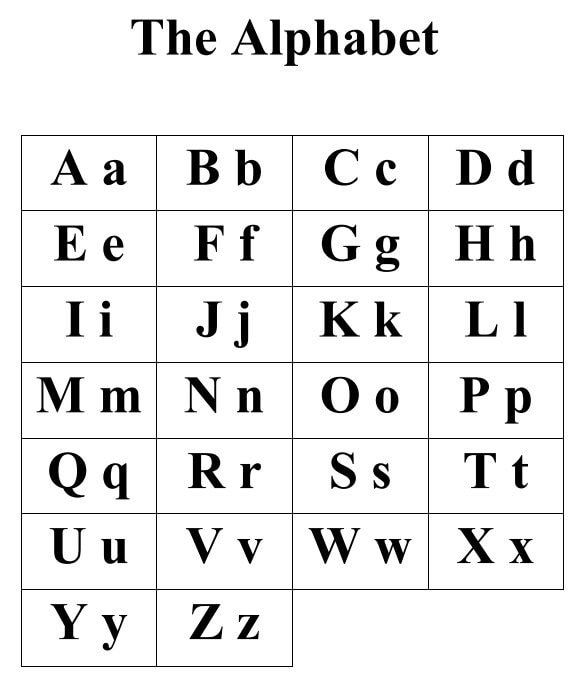
The same principles apply when generating uppercase alphabets, where 'A' corresponds to 65 and 'Z' to 90 in ASCII. By adjusting the loop boundaries to work with the uppercase character range, developers can create versatile methods that handle both cases. This flexibility is crucial for applications requiring case-sensitive text processing or validation.


Creating Reusable Methods
For production code, encapsulating the alphabet printing logic within a dedicated method enhances code reusability and maintainability. A well-designed method can accept parameters to specify the starting character, ending character, and output format, making it adaptable for various requirements. This modular approach aligns with object-oriented programming best practices.
Practical Applications and Use Cases
While printing alphabets might seem trivial, this functionality serves as the foundation for more complex operations such as generating column headers in spreadsheets, creating test datasets, or implementing educational tools for children learning the alphabet. Understanding these basic patterns enables developers to build more sophisticated text manipulation algorithms efficiently.


Related Articles

Print Alphabets A to Z Using Loop in C – Simple Code Example
Mastering the fundamentals of programming often begins with simple yet powerful exercises, such as printing alphabets using loops in the C language. This...

Print Alphabets A to Z in C: Simple Code Example
Printing the alphabets from A to Z in C is a fundamental exercise for anyone learning the basics of programming. This simple task teaches you how to manage...

Java Program to Print Uppercase and Lowercase Alphabets | Code Example
Mastering character manipulation is a fundamental skill for any Java developer, and a common exercise involves generating the uppercase and lowercase...

Print Numbers Divisible by 5 in Java: Simple Code Example
In modern Java development, filtering numerical data is a common task, and identifying print numbers divisible by 5 in java is a frequent requirement for...
Print ASCII Value of Alphabet in Java: Easy Code Example
In Java programming, understanding how characters map to their underlying numerical representations is fundamental for tasks ranging from simple debugging to...

Extract Color from Image Hex Code – Simple & Fast Tool
Extracting the precise color value from any image is a fundamental task for designers, developers, and digital artists. Whether you are meticulously matching a...