Print Alphabet A to Z in C: Simple Code Example
Printing the alphabet from A to Z in C is a foundational exercise for anyone beginning their journey with the language. Whether you are a student learning the basics of programming, a hobbyist exploring hardware like the Arduino, or a developer refreshing your memory, understanding how to generate these characters programmatically is a crucial step. This process involves manipulating data types and utilizing loops to display each letter, transforming abstract code into visible text.
Understanding Character Data Types
In the C programming language, characters are not just symbols; they are integral data types with corresponding numerical values defined by the ASCII (American Standard Code for Information Interchange) table. The letter 'A' is stored as the integer 65, 'B' as 66, and so on, up to 'Z' at 90. Similarly, lowercase 'a' holds the value 97, continuing to 'z' at 122. This numerical representation is the key that allows programmers to iterate through the alphabet using simple arithmetic operations.
Method 1: Using a For Loop with Characters
The most straightforward approach to printing the alphabet leverages the for loop, a control structure that handles repetition efficiently. By initializing a character variable to 'A', setting a condition that checks if the value is less than or equal to 'Z', and incrementing the variable after each iteration, the loop naturally progresses through the uppercase sequence. The printf function then outputs each character to the console, creating a clean and linear output.


Method 2: Leveraging ASCII Values with Integers
An equally effective technique involves bypassing the character type entirely and using integer variables to represent the ASCII codes. A loop can run from 65 to 90, and within the loop body, the integer is cast back to a character using type casting ((char)). This method provides a clearer view of the underlying numerical system and is particularly helpful for visualizing the direct relationship between numbers and symbols, reinforcing the concept of data representation in memory.
Implementing Lowercase Letters
The logic for generating lowercase letters is identical to the uppercase method, with a simple shift in the starting and ending ASCII values. Instead of starting at 65 ('A'), the loop begins at 97 ('a') and continues until it reaches 122 ('z'). This consistency in structure—regardless of case—highlights the elegance of the C language, where predictable rules allow for versatile and reusable code patterns.


Complete Code Example and Output
To solidify the concept, here is a complete, standard C program that prints both uppercase and lowercase alphabets. This example serves as a practical template that can be compiled and executed in any standard C environment, such as GCC or an IDE like Code::Blocks.
#include <stdio.h>

int main() {
    // Print Uppercase A to Z
    printf("Uppercase Alphabet: ");
    for(char c = 'A'; c <= 'Z'; c++) {
        printf("%c ", c);
    }

    printf("\n"); // New line for separation

    // Print Lowercase a to z
    printf("Lowercase Alphabet: ");
    for(char c = 'a'; c <= 'z'; c++) {
        printf("%c ", c);
    }

    return 0;
}
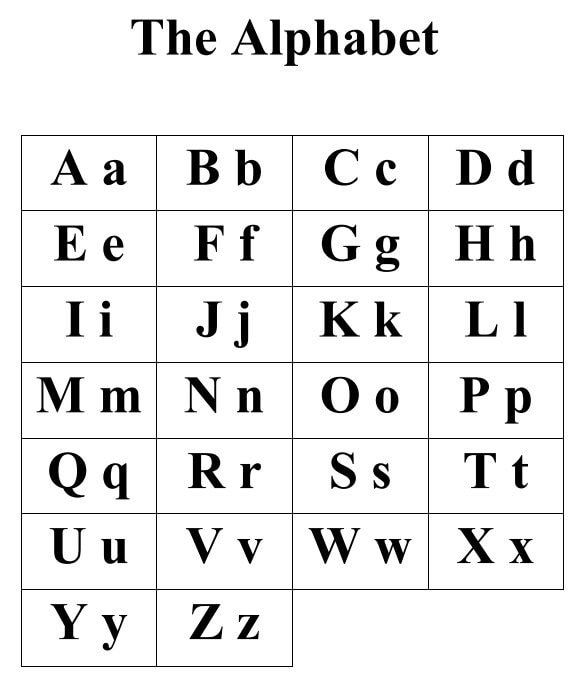
When executed, this code produces a clear, formatted output listing all 26 letters in their respective sequences, providing immediate visual confirmation that the logic is functioning correctly.
Common Pitfalls and Debugging Tips
Even simple programs can present challenges for beginners. A frequent error is accidentally using the wrong inequality operator, such as "<" instead of "<=", which results in omitting the final letter 'Z' or 'z' from the output. Another potential issue is confusing the single quotes ('A') used for characters with double quotes ("A") used for strings. Ensuring the loop increments correctly and that the correct header file (<stdio.h>) is included are essential steps for successful compilation and execution.


Applications and Next Steps
Mastering this basic task opens the door to more complex string manipulation and data processing operations. The principles used here—looping through a range of characters and controlling output format—are directly applicable to tasks such as building lookup tables, generating random passwords, or parsing text files. Proficiency in handling the alphabet is a building block for advanced algorithms and serves as a fundamental verification of your development environment.


Related Articles

Print Alphabets A to Z Using Loop in C – Simple Code Example
Mastering the fundamentals of programming often begins with simple yet powerful exercises, such as printing alphabets using loops in the C language. This...

Print Alphabets A to Z in C: Simple Code Example
Printing the alphabets from A to Z in C is a fundamental exercise for anyone learning the basics of programming. This simple task teaches you how to manage...

Print Numbers Divisible by 5 in Java: Simple Code Example
In modern Java development, filtering numerical data is a common task, and identifying print numbers divisible by 5 in java is a frequent requirement for...

Master Bash Print Alphabet: Easy Code Examples & SEO Guide
Mastering the bash print alphabet task is a fundamental exercise for anyone looking to solidify their understanding of Linux shell scripting. This seemingly...

C# Get Alphabet Letter by Number: Simple Code Guide
Finding the corresponding alphabet letter from a specific number is a common task in C# programming, especially when dealing with data encoding, puzzle...

Extract Color from Image Hex Code – Simple & Fast Tool
Extracting the precise color value from any image is a fundamental task for designers, developers, and digital artists. Whether you are meticulously matching a...