The Ultimate A to Z Alphabet of Computer Terms with Pictures
From the earliest punch cards to the sleek applications running on your smartphone, every digital interaction begins with a fundamental building block. This is the alphabet of computer a to z, a systematic set of symbols that forms the bedrock of our modern technological world. Understanding these characters is not just about learning the keys on your keyboard; it is about deciphering the primary language through which humans communicate instructions to machines.
The Foundation of Digital Communication
At its core, the computer alphabet refers to the specific set of characters and symbols that a computing system recognizes as valid for processing. While the English alphabet (A-Z, a-z) is the most familiar to us, the machine actually sees everything as numbers. Through complex standards like ASCII and Unicode, every letter, punctuation mark, and even emoji is assigned a unique numerical value. This translation allows the electrical signals within a microprocessor to represent the full spectrum of human language and data, turning abstract concepts into tangible information.
Breakdown of the Letters
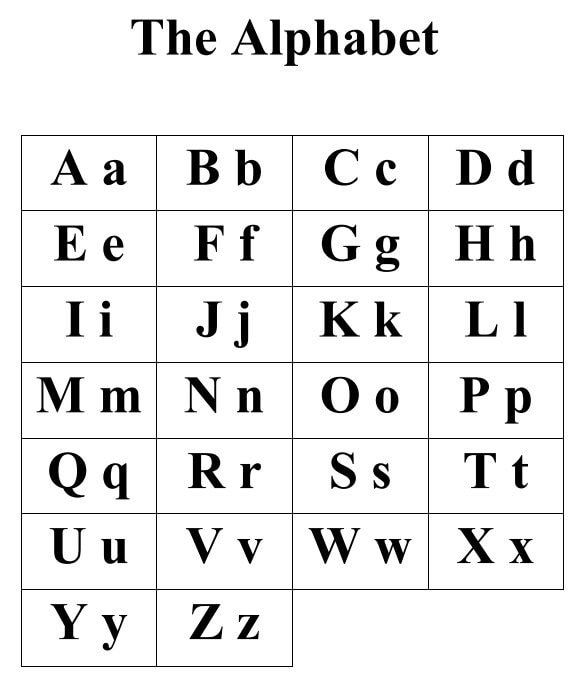
Let us walk through the visual representation of the letters, moving from the structured geometry of "A" to the flowing curves of "Z". In the context of computing, these shapes are rendered as glyphs, which are the specific graphical designs chosen by typeface designers. Below is a look at the standard block representation often used in coding and monospace fonts, where consistency is key for readability.


| A | B | C | D | E | F | G | H |
|---|---|---|---|---|---|---|---|
| █ | █ | █ | █ | █ | █ | █ | █ |
| I | J | K | L | M | N | O | P |
| █ | █ | █ | █ | █ | █ | █ | █ |
| Q | R | S | T | U | V | W | X |
| █ | █ | █ | Y | █ | |||
| Z | █ | ||||||
Beyond these uppercase characters, the alphabet of computer a to z introduces a crucial distinction: lowercase letters. The shift from "A" to "a" represents one of the earliest conventions in programming, influencing syntax and variable naming. Modern coding standards often prefer descriptive strings like `userName` or `fileList` to ensure code is readable and maintainable, making the distinction between upper and lower case absolutely vital.
Punctuation and the Symbol Shift
Letters alone do not constitute the full computer alphabet; the symbols interspersed among the text are equally powerful. These characters, often found above the numbers on a standard QWERTY keyboard, serve specific commands in computing. The exclamation point (!) might trigger a logical "not" operation, while the at symbol (@) is essential for email routing and variable decoration in languages like Python. Mastery of these symbols is essential for navigating keyboards and writing efficient syntax.


Navigating Special Characters
As programming evolved, the need for a more extensive alphabet became necessary. This led to the inclusion of special characters that extend the language's vocabulary. Symbols like the curly brace ({}) define the scope of code blocks in languages like Java and JavaScript, while the backslash (\) acts as an escape character, allowing the programmer to insert tricky-to-type characters. These marks are the tools that allow developers to build complex structures and logic, forming the structural integrity of the digital landscape.
The Role of Encoding
How does the machine decide that the squiggly line "@" corresponds to the number 64? The answer lies in encoding standards. ASCII, one of the earliest encoding systems, mapped 128 characters to specific numerical codes. While sufficient for English, ASCII lacked the breadth for global languages. This gap was filled by Unicode, a universal character set that supports thousands of symbols from virtually every writing system on Earth. Understanding this encoding ensures that text remains consistent whether it is viewed on a Windows PC, a Mac, or a mobile device.
Practical Application and Typing Mastery
For the end-user, fluency in the alphabet of computer a to z manifests as touch typing skill. Efficient data entry relies on muscle memory, allowing the hands to navigate the QWERTY layout without conscious thought. Home row positioning (ASDF for the left hand and JKL; for the right) serves as the anchor for speed and accuracy. Professionals who master this layout find that their interaction with the machine becomes seamless, reducing friction between thought and execution and allowing them to focus purely on the task at hand.




Related Articles

Kindergarten Alphabet with Pictures: Fun ABC Learning for Kids
Mastering the kindergarten alphabet with pictures is often the first and most critical step in a child's educational journey. This foundational skill...
Printable Alphabet Chart with Pictures: Fun Learning for Kids
An effective printable alphabet chart with pictures serves as a foundational resource for early literacy, transforming abstract letters into tangible...

Alphabet with Animal Pictures: A Fun Learning Guide for Kids
Welcome to a vibrant exploration of the alphabet, where each letter is brought to life through the captivating world of animals. This visual journey transforms...

Alphabet A to Z Car Names with Pictures: Every Letter of the Road
A comprehensive guide to exploring the world of automobiles through the alphabet provides a unique framework for discovery. From the agile Aston Martin to the...

Colorful Alphabet Letters with Pictures: Free Downloadable Images for Kids
Images of alphabet letters with pictures represent a foundational element in early childhood education and visual communication. This approach, often seen in...

Learn Nepali Alphabet with Pictures: A Visual Guide
Understanding the Nepali alphabet is the essential first step for anyone wishing to learn the Nepali language, the official tongue of Nepal. This script, known...